Wuthering Waves is free to play on PC. Most install problems come from three things: too little disk space, too little RAM and an old GPU driver. This guide gives you Kuro Games’ official specs, the install steps in order and what to check when the game won’t start.
What is Wuthering Waves?
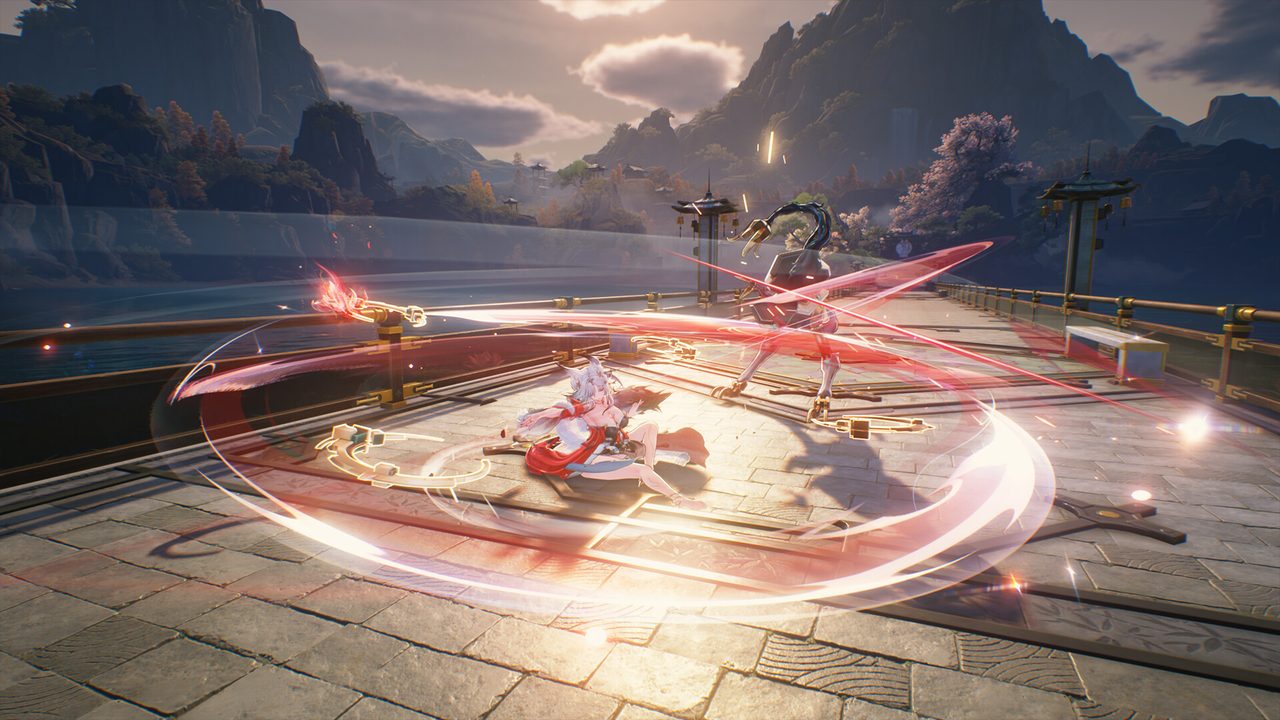
Wuthering Waves is a story-rich open-world action RPG from Kuro Games. You wake as Rover, with no memory, in a world recovering from a disaster called the Lament. A cast of characters called Resonators joins you as you work out what happened.
Combat is real-time and fast, built around dodging, counters and switching characters mid-fight. The PC version arrived on Steam on April 28, 2025. It’s also available through Kuro Games’ own launcher.
Wuthering Waves PC system requirements
These are the official specs from the game’s Steam listing.
| Minimum | Recommended | |
|---|---|---|
| OS | Windows 10 64-bit | Windows 10 64-bit |
| CPU | Intel Core i5 (9th Gen) / Ryzen 2700 | Intel Core i7 (9th Gen) / Ryzen 3700 |
| RAM | 16 GB | 32 GB |
| GPU | GTX 1060 / RX 570 / Arc A380 | RTX 2060 / RX 5700 XT / Arc A750 |
| DirectX | 12 | 12 |
| Storage | 150 GB (HDD supported) | 150 GB (SSD required) |
Two lines matter most. The game needs 150 GB, which is more than many older SSDs have spare. It also needs DirectX 12, so very old GPUs that only support DirectX 11 won’t run it. Our guide to checking a game’s system requirements shows how to compare your hardware against a table like this.
How to download Wuthering Waves on PC
- Make room on an SSD. Clear at least 150 GB. Patches unpack before they install, so leave some extra headroom.
- Open the official download. Use the button below. It goes through our affiliate partner to Kuro Games’ official PC download page.
- Run the launcher installer. Choose the SSD as the install location. If the page sends you to Steam instead, click Play Game and pick the same drive.
- Let the game download fully. The launcher downloads the game files, then may download more resources on first launch. Leave it running until both finish.
- Sign in and create your Rover. Create a Kuro Games account or log in. Keep your account email, because you’ll need it to recover your progress later.
Settings to check before you play
Wuthering Waves sets a graphics preset from your hardware. A few changes make the biggest difference:
- Frame rate. Pick a cap your PC holds most of the time. A stable 60 FPS feels better than an uncapped number that swings.
- Shadows and effects. These cost the most in big fights. Lower them first on minimum-spec hardware.
- Upscaling. If your GPU supports an upscaler in the graphics menu, try it before you drop resolution. It usually looks better at the same frame rate.

How long does the Wuthering Waves download take?
Download time depends on your connection and the install size. The table below assumes about 150 GB, and the launcher may fetch extra resources after the main download. Times are for the download itself, at the full speed of each connection.
| Connection | Approximate download time |
|---|---|
| 50 Mbps | about 6.7 hours |
| 100 Mbps | about 3.3 hours |
| 300 Mbps | about 1.1 hours |
| 1 Gbps | about 20 min |
Real-world speeds usually land below a plan’s advertised figure, so treat these as best-case numbers. If the download runs far slower than your connection allows, check whether another device or app on your network is downloading at the same time, then pause and resume the download.
If Wuthering Waves won’t install or launch
Try these in the order worth trying them. Stop as soon as the problem is fixed.
- Repair the files. In Kuro Games’ launcher, use the repair or verify option. On Steam, open Properties → Installed Files → Verify integrity of game files.
- Update the GPU driver. Install the latest driver from NVIDIA, AMD or Intel. Wuthering Waves uses DirectX 12, and older drivers are a common cause of crashes.
- Check free space. A failed update on a nearly full drive leaves half-written files behind. Free up space, then repair again.
- Disable overlays. Turn off recording and performance overlays one at a time, then relaunch.
If none of that works, our PC game troubleshooting guide covers crashes and launch errors step by step.
Ready to start
Once the files are down and you’re signed in, the opening chapter takes you straight into the story. Start the download now and let it finish undisturbed.
This download link is an affiliate link — see our Affiliate Disclosure for how that works. It doesn’t change anything about your download or account.