The switch under each key decides most of how a mechanical keyboard feels and sounds. Brand names and colors vary a lot, but nearly every switch fits into one of three families.
Switches are one of the keyboard decisions in our guide to choosing a mouse, keyboard and headset.
The three switch families
- Linear: smooth from top to bottom with no bump and no click. Keys press consistently, which is why many FPS and rhythm-game players like them. Red switches are usually linear.
- Tactile: you feel a small bump partway down that tells you the key has registered. Good for mixed gaming and typing, since the bump helps you avoid bottoming out. Brown switches are usually tactile.
- Clicky: a tactile bump plus an audible click. Satisfying to type on, but loud on voice chat and in shared rooms. Blue switches are usually clicky.
Colors are only a rough convention. Every manufacturer tunes its switches differently, so check the listed type rather than relying on the color.
Specs worth understanding
- Actuation force: how hard you have to press, usually 35–65g. Lighter switches feel faster but are easier to press by accident.
- Actuation point: how far down the key registers, commonly around 2mm on standard switches. Some “speed” switches register earlier, around 1.0–1.2mm.
- Total travel: usually about 4mm. Low-profile switches cut this down for a flatter, laptop-like feel.
- Analog / Hall effect switches: magnetic switches whose actuation point can be adjusted in software. Some also support “rapid trigger”, where a key resets the instant it starts to rise. This is a real advantage in games with a lot of counter-strafing.
How to choose without guesswork
- Buy a switch tester. These are small, inexpensive boards with one sample of each switch type, and they tell you more than any review.
- Think about where you play. If you’re often on voice chat or share a room, skip clicky switches.
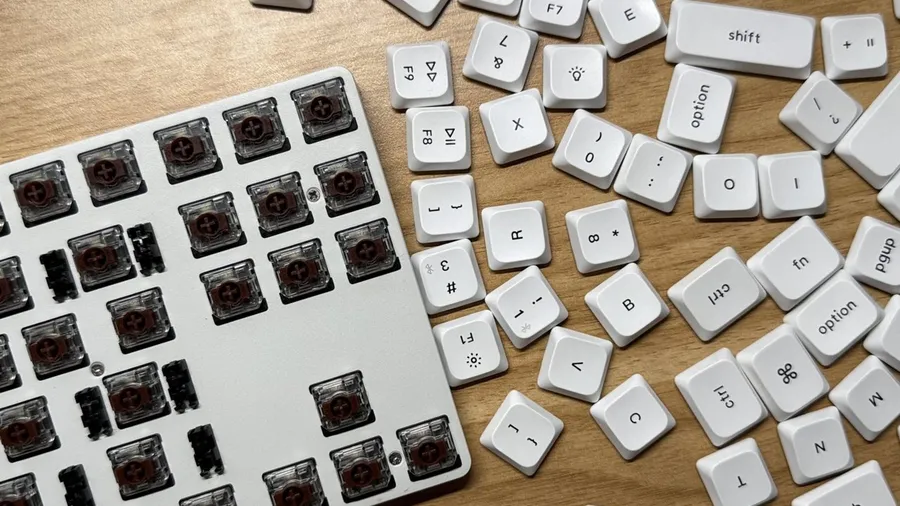
- Go hot-swappable if you’re unsure. That way a wrong guess costs you a pack of switches, not a whole new keyboard.