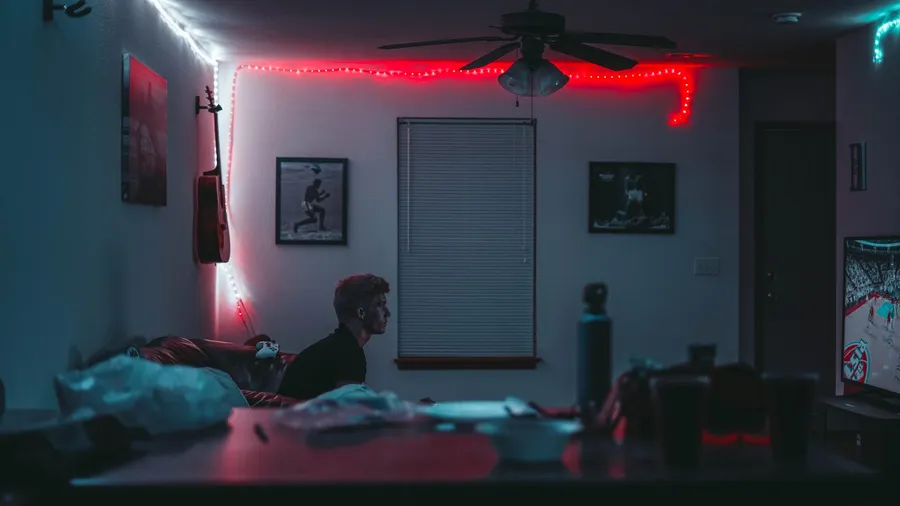
The best lighting for a gaming setup is indirect: a soft light behind the monitor, and a light over the desk that doesn’t reflect in the screen. That combination cuts the contrast between a bright display and a dark room, which is what tires your eyes in long sessions.
Lighting is one part of the room covered in our guide to setting up a gaming room.
This guide covers four lighting products that do different jobs, then explains where to put them.
As an Amazon Associate, Gamesness earns from qualifying purchases. We have not bench-tested these products ourselves. The picks are based on the manufacturers’ published specifications, and each link goes to the Amazon listing we checked for that product.
Gaming setup lighting compared
| Light | Type | Goes | Control | Good to know |
|---|---|---|---|---|
| Govee RGBIC LED strip (16.4ft) | LED strip | Behind desk or monitor | App | Several colours on one strip |
| BenQ ScreenBar Pro | Monitor light bar | Top of monitor | On the bar | Motion sensor, USB-C powered |
| Philips Hue Play light bar (2-pack) | Light bars | Behind monitor or TV | App | Requires a Hue Bridge |
| Govee Glide wall lights | Wall light bars | On the wall | App | Decorative, RGBIC |
The picks
Govee RGBIC LED strip: best low-cost bias light
This is a 16.4ft (5m) LED strip controlled from Govee’s app. RGBIC means the strip can show several colours along its length at once, where a basic RGB strip shows one colour at a time.
Stick it to the back edge of the desk or the rear of the monitor so the light falls on the wall. Set it to a dim white for everyday use and save the colour effects for when you want them.
Check price on AmazonBenQ ScreenBar Pro: best desk light
A monitor light bar is a lamp that sits on top of the monitor and shines down on the desk. Its angled beam lights the keyboard and mouse area without hitting the screen, so it doesn’t cause reflections.
The ScreenBar Pro has adjustable brightness and colour temperature, a motion sensor that switches it on when you sit down, and USB-C power. It is the pick if you also work or study at the same desk.
Check price on AmazonPhilips Hue Play light bars: best for an existing Hue setup
Hue Play bars are compact colour light bars that stand or lie behind a monitor or TV. This base kit has two bars.
They need a Hue Bridge to work, which is sold separately unless you already own one. That makes them the right pick for people already using Hue lights, and a costly way to start from nothing.
Check price on AmazonGovee Glide wall lights: best decorative lighting
Glide lights are slim RGBIC bars that mount on the wall and connect into shapes. They are decoration first, and they add a wash of colour to the wall behind or beside the desk.
Mount them where they are out of your direct line of sight when you look at the screen. A bright light in your field of view is a source of glare.
Check price on AmazonWhere to put lights in a gaming setup
Behind the monitor. This is the most useful position. The light should hit the wall, and you shouldn’t see the LEDs themselves.
Above the desk, pointing down. A light bar or a lamp to the side lights the keyboard. OSHA’s workstation guidance recommends placing light sources so they don’t create glare on the screen.
Not behind you. A window or lamp behind your chair reflects in the display. Close the blinds or move the lamp.
Not too bright. The room should be dimmer than the screen, not dark and not brighter. If the wall behind the monitor looks brighter than a white window on screen, turn the lights down.
Brightness and colour settings
- Use warm white (2700–3000K) in the evening and neutral white (around 6500K) when colour accuracy matters.
- Keep bias lighting at roughly 10% of the screen’s brightness.
- Turn off fast colour-cycling effects during competitive games, since movement at the edge of your vision is distracting.
- Match the strip’s white to your room lights where you can. Warm and cool light sources in the same view look uneven, both to the eye and on a webcam.
- Use the monitor’s low blue light or night mode in the evening if a cool white screen feels harsh.
For room-level advice, including overhead lights and windows, read the gaming room lighting guide. Lighting works together with screen position, so also check your monitor height and distance.
Light strips add cables and power adapters. Our list of the best cable management accessories keeps them out of sight, and if you stream, the beginner streaming setup guide covers lighting your face for a webcam.