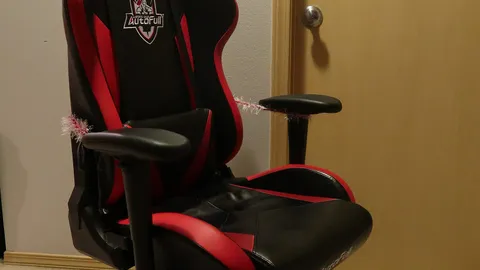
A chair only helps if it’s adjusted to you. Most people never change the settings after assembling it. Go through these steps in order, because each one depends on the one before.
The chair is the center of the ergonomics section in our gaming setup and ergonomics guide.
1. Seat height
Adjust the height so your feet are flat on the floor and your knees are about level with, or slightly below, your hips. If your desk is too high for that, raise the chair and use a footrest.
2. Seat depth
Sit all the way back. You should be able to fit two to four fingers between the front edge of the seat and the back of your knees. If your chair has a seat slider, adjust it now.
3. Lumbar support
The curve of the backrest or lumbar pillow should sit in the small of your lower back, roughly at belt height. It should fill the gap, not push you forward. Many gaming chairs come with a separate lumbar pillow that you can move or remove.
4. Backrest recline
Sitting bolt upright isn’t ideal. A slight recline of about 100–110° takes pressure off your lower back while still letting you reach the keyboard and mouse comfortably.
5. Armrests
Set the armrests so your shoulders stay relaxed and your elbows are bent at about 90° when you rest on them. Ideally they’re level with the desk surface. Armrests that are too high make you shrug. Too low, and you slump to one side.
6. Check the desk and monitor
With the chair set, your wrists should be straight on the keyboard and mouse, and the top of your monitor should be at or slightly below eye level. If not, adjust the desk or monitor, not the chair settings you just set.
The real secret: move
Even a perfect position gets uncomfortable if you hold it for hours. Change position, stand up between matches, and stretch your wrists and neck.
Set Monitor Height and Distance Pick the Right Desk Size